MCP Server for Solving Captchas
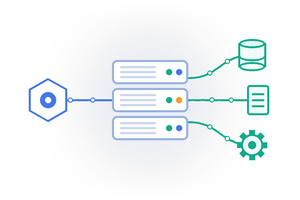
MCP server (capguru-mcp) connects the captcha solving service to AI assistants and agents: Claude Desktop, Claude Code, Cursor, Windsurf, VS Code with GitHub Copilot, Cline, Zed, Gemini CLI, OpenAI Codex CLI and any other client that supports the Model Context Protocol.
The assistant opens the page in a browser, finds the captcha, solves it and continues the task. Just describe what you need in plain language.
Latest Version
| Version | Changes | Download |
|---|---|---|
| 0.3.2 | Bug fixes | PyPI |
| 0.3 | Turnstile works in the browser, reCAPTCHA v3 action, v2 Invisible, new tools page_text, press, list_tabs, switch_tab. The API key no longer gets into logs | PyPI |
| 0.2 | Release | PyPI |
What Is an MCP Server
The Model Context Protocol (MCP) is an open standard that lets AI assistants use external tools.
The MCP server gives the assistant tools for browser control and captcha solving. The assistant calls them by itself when the task requires it.
What the server can do:
- Solve captchas on a page in the browser: reCAPTCHA v2, hCaptcha, GeeTest v3/v4, FunCaptcha (Arkose Labs), TikTok, AWS WAF, Other.
- Detect the captcha type on the page automatically.
- Get reCAPTCHA v2, v2 Invisible, v3 and Cloudflare Turnstile tokens, including without a browser, by sitekey and page URL.
- Recognize text captchas from images and type the answer into an input.
- Open pages, click buttons, fill in forms, press keys, read the page text, switch tabs and take screenshots.
- Connect to an already running Chrome controlled by another tool.
Installation
The server is published on PyPI. Python 3.10 or newer is required.
pip install capguru-mcp
playwright install chromium
Update to the latest version:
pip install -U capguru-mcpYour API key is passed through the CAPGURU_API_KEY environment variable in the client settings. The key stays in your local config and is sent only to our API server.
Connecting to MCP Clients
Most clients use the same format with the mcpServers key. Only the file location and, for a few clients, the key name differ.
Claude Desktop
File claude_desktop_config.json:
- macOS:
~/Library/Application Support/Claude/claude_desktop_config.json - Windows:
%APPDATA%\Claude\claude_desktop_config.json
{
  "mcpServers": {
    "capguru": {
      "command": "capguru-mcp",
      "env": { "CAPGURU_API_KEY": "YOUR_KEY" }
    }
  }
}
Restart Claude Desktop after editing the config.
Claude Code
claude mcp add capguru --env CAPGURU_API_KEY=YOUR_KEY -- capguru-mcpCursor
File ~/.cursor/mcp.json (all projects) or .cursor/mcp.json in the project folder. Same format as Claude Desktop.
Windsurf
File ~/.codeium/windsurf/mcp_config.json (Windows: %USERPROFILE%\.codeium\windsurf\mcp_config.json). Same format with the mcpServers key. Restart Windsurf after editing.
VS Code (GitHub Copilot)
File .vscode/mcp.json in the project folder. Note that VS Code uses the servers key instead of mcpServers.
{
  "servers": {
    "capguru": {
      "type": "stdio",
      "command": "capguru-mcp",
      "env": { "CAPGURU_API_KEY": "YOUR_KEY" }
    }
  }
}
MCP tools are available in Copilot Chat Agent mode.
Visual Studio
File %USERPROFILE%\.mcp.json or .mcp.json in the solution folder. Same format as VS Code.
Cline and Roo Code
Open the MCP Servers section in the extension and click "Configure MCP Servers". Add the capguru block in the mcpServers format.
Continue
File ~/.continue/config.yaml:
mcpServers:
  - name: capguru
    command: capguru-mcp
    env:
      CAPGURU_API_KEY: YOUR_KEY
Zed
Zed settings.json (Linux: ~/.config/zed/settings.json, Windows: %APPDATA%\Zed\settings.json). Zed uses the context_servers key:
{
  "context_servers": {
    "capguru": {
      "command": "capguru-mcp",
      "args": [],
      "env": { "CAPGURU_API_KEY": "YOUR_KEY" }
    }
  }
}
Gemini CLI
File ~/.gemini/settings.json (all projects) or .gemini/settings.json in the project folder. Same mcpServers format.
OpenAI Codex CLI
File ~/.codex/config.toml:
[mcp_servers.capguru]
command = "capguru-mcp"
env = { CAPGURU_API_KEY = "YOUR_KEY" }
Other Clients
Amazon Q Developer CLI (~/.aws/amazonq/mcp.json), GitHub Copilot CLI (~/.copilot/mcp-config.json), Google Antigravity and other MCP clients use the same mcpServers format.
If the client cannot find the capguru-mcp command
On Windows the Python Scripts folder may be missing from PATH. Run the server through Python: "command": "python", "args": ["-m", "capguru_mcp"] or use the full path to capguru-mcp.
Running without installation via uv
"command": "uvx", "args": ["capguru-mcp"]
Usage
Once connected, just describe the task to the assistant. Example requests:
- Open
https://site.com/login, solve the captcha and take a screenshot - Go to the site, fill in the sign-up form and pass the captcha
- Get a reCAPTCHA token for sitekey
6Le-wvkSAAAAAPBMRTvw0Q4Muexq9bi0DJwx_mJ-onhttps://www.google.com/recaptcha/api2/demo - Get a reCAPTCHA v3 token with action
verifefor sitekey6LdSQV8mAAAAAA8tgiox2isjB1H4QSr-pNBXajUTonhttps://test.cap.guru/demo/recap - Open
https://test.cap.guru/demo/cloudand solve the Turnstile - Recognize the captcha image
#captcha_imgand type the answer into#captcha_input
Solving Captchas in the Browser
The solve_captcha tool solves the captcha right on the open page: it clicks images, drags sliders and completes multi-step challenges.
In auto mode the server detects the captcha type and waits for it to appear. With a specific type the server first checks that this captcha is on the page.
Solving with clicks can take several minutes. The server sends progress notifications every 10 seconds, so clients with a call timeout do not drop the request.
reCAPTCHA and Cloudflare Turnstile Tokens
The solve_recaptcha_token and solve_turnstile_token tools get a ready token from the service without solving images in the browser.
Without a browser, the sitekey and page URL are enough: the token is returned as text and can be used in your own requests.
If a page is open, the sitekey, URL, Invisible mode and v3 action are taken from it. A reCAPTCHA v2 or Turnstile token is inserted into the page and the site callback is called.
For reCAPTCHA v3 pass the action used by the site: sites check it together with the score.
Text Captcha Recognition
The solve_image_captcha tool recognizes a captcha from an image: a page element, an image file, a URL or base64.vernet sets the captcha kind. By default it is not sent and the service chooses. If the captcha comes from a known site, set its kind:
| vernet | Kind |
|---|---|
| 2 | General v1 |
| 6 | General v2 |
| 22 | Arithmetic |
| 12 | Rambler |
| 18 | General Yandex |
| 20 | Yandex, 6 characters |
| 16 | VKontakte |
| 14 | SolveMedia |
| 13 | Gibdd |
| 9 | Ok.ru |
| 17 | World of Tanks |
| 5 | Microsoft Hotmail |
For distorted text from an unknown site try 2 or 6.
For arithmetic (vernet 22) the service returns the expression as it is, for example 27+15=, and the MCP server calculates the answer and types it into the input.fill_selector types the answer into an input.
Tools
Browser:
| Tool | Description |
|---|---|
open_browser | Launch a browser (headless, channel: chrome / msedge, proxy) |
connect_browser | Connect to a running Chrome started with --remote-debugging-port |
goto | Open a URL |
click, fill, press | Click an element, type text into an input, press a key |
page_text | Visible text of the page or of an element |
list_tabs, switch_tab | List open tabs and switch the active one |
screenshot | Screenshot of the page |
page_info | Current URL and title |
close_browser | Close the browser |
Captcha:
| Tool | Description |
|---|---|
detect_captcha | Detect the captcha type on the page without solving |
solve_captcha | Solve the captcha on the page: auto or a specific type (other for Yandex SmartCaptcha) |
solve_recaptcha_token | reCAPTCHA token: v2, v2 Invisible (invisible), v3 (action, min_score) |
solve_turnstile_token | Cloudflare Turnstile token (sitekey, pageurl) |
solve_image_captcha | Text captcha from an image (selector, image_base64, image_path or image_url; vernet, fill_selector) |
Supported Captchas
| reCaptcha2 | reCaptcha3 | Turnstile | FunCaptcha | TikTok | GeeTest | AWS WAF | hCaptcha | Text | Other |
|---|---|---|---|---|---|---|---|---|---|
| Yes | Yes | Yes | Yes | Yes | Yes | Yes | Yes | Yes | Yes |
Parameters
Set as environment variables in the env block of the client config.
| Variable | Default | Description |
|---|---|---|
CAPGURU_API_KEY | - | API key (required) |
CAPGURU_SERVER | https://api.cap.guru | API server |
CAPGURU_ATTEMPTS | 5 | Max number of attempts |
CAPGURU_DEBUG | 1 | Include the solver log in replies to the assistant |
CAPGURU_BROWSER_CHANNEL | - | chrome or msedge to use an installed browser |
CAPGURU_BROWSER_PATH | - | Path to a browser executable |
CAPGURU_BROWSER_ARGS | - | Extra browser arguments, space separated |
The proxy format is the same in all tools: http://login:password@host:port, socks5://... or login:password@host:port.
Error Handling
Errors are returned to the assistant as tool errors with plain text:
| Message | Cause |
|---|---|
Cap.Guru account error (API key or balance) | Invalid API key or zero balance |
Not solved: ... | The captcha could not be solved after all attempts |
No captcha found on the page within 30 s | No captcha appeared on the page |
Captcha "recaptcha2" not found on the page within 30 s | The requested captcha type is not on the page |
No browser page. Call open_browser or connect_browser first. | The browser is not open yet |
CAPGURU_API_KEY environment variable is not set | The API key is missing from the client config |
Could not download the image: HTTP 404 | image_url did not return an image |
Security
image_path accepts only image files (png, jpg, gif, bmp, webp) up to 5 MB and checks their content. image_url is downloaded without browser cookies unless use_page_cookies is set. The server never sends other local files.
FAQ
Which AI assistants are supported?
Any client that supports the Model Context Protocol: Claude Desktop, Claude Code, Cursor, Windsurf, VS Code and Visual Studio with GitHub Copilot, Cline, Roo Code, Continue, Zed, Gemini CLI, OpenAI Codex CLI, Amazon Q Developer CLI and others.
Do I need a browser to solve captchas?
To solve a captcha on a page, yes: the server launches Chromium or an installed Chrome / Edge.
reCAPTCHA and Cloudflare Turnstile tokens can be obtained without a browser: the sitekey and page URL are enough.
Can it solve captchas in a browser controlled by another MCP server?
Yes. Start Chrome with --remote-debugging-port=9222 and ask the assistant to connect with connect_browser.
Does the server work through a proxy?
Yes. Pass the proxy to open_browser or to the token tools in the http://login:password@host:port format.
Where is the API key stored?
Only in your MCP client config on your computer. The server sends the key only to our API.
How is the MCP server different from the Python and Node.js modules?
The modules are used in the code of your scripts. The MCP server requires no programming: an AI assistant controls it with plain-language requests.