reCAPTCHA v2 and Invisible reCAPTCHA v2 Solver API
reCAPTCHA v2 is the most common version of Google reCAPTCHA: the "I'm not a robot" checkbox and, when the check is in doubt, an image selection challenge. It looks like this:
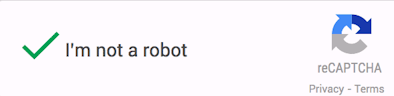
reCAPTCHA v2 also has an invisible variant: there is no checkbox, the check runs when a form is submitted or a button is pressed, and images appear only when needed. Example:

Regular and invisible reCAPTCHA v2 are solved the same way and with the same parameters. You send the sitekey and the page URL to the Cap.guru API, get a ready g-recaptcha-response token and pass it to the site.
What you need
How to find the parameters (click to expand)
Example page with reCAPTCHA v2: https://www.google.com/recaptcha/api2/demo
You need two values.
Page URL. The full address of the page with reCAPTCHA, for example https://www.google.com/recaptcha/api2/demo.
Sitekey. Open the page, press F12 and look for the key in one of these places:
- the
data-sitekeyattribute of the element with theg-recaptchaclass; - the
kparameter in the address of the reCAPTCHA iframe (Network tab, request torecaptcha/api2/anchor).

Example iframe address, the key comes after k=:
https://www.google.com/recaptcha/api2/anchor?ar=1&k=6Le-wvkSAAAAAPBMRTvw0Q4Muexq9bi0DJwx_mJ-&co=aHR0cHM6Ly93d3cuZ29vZ2xlLmNvbTo0NDM.&hl=ru&v=qpy2aGtSgsYPZzCoYWjcaBCo&size=normal&cb=b10i8fn9469d
For this page you need:
- page URL:
https://www.google.com/recaptcha/api2/demo - sitekey:
6Le-wvkSAAAAAPBMRTvw0Q4Muexq9bi0DJwx_mJ-
How to tell invisible v2 apart. Invisible reCAPTCHA v2 has size=invisible in the iframe address, while the regular one has size=normal. If the script link contains a render= parameter, it is reCAPTCHA v3, which is described on the reCAPTCHA v3 page.
Sending a task
http://api2.cap.guru/in.php
| Parameter | Type | Required | Description |
|---|---|---|---|
| key | String | Yes | Your API key. You can find it in the dashboard |
| method | String | Yes | userrecaptcha: tells the service that you are solving reCAPTCHA v2 |
| googlekey | String | Yes | The sitekey you found on the page For example 6Le-wvkSAAAAAPBMRTvw0Q4Muexq9bi0DJwx_mJ- |
| pageurl | String | Yes | Full URL of the page with reCAPTCHA v2 For example https://www.google.com/recaptcha/api2/demo |
| softguru | Number | No | Software developer ID. Developers who have integrated their software with our service receive 1% of the cost of each such request |
| json | Number Default: 0 | No | 0: the server returns a plain text response 1: the server returns a JSON response |
Request example:
http://api2.cap.guru/in.php?key=YOUR_APIKEY&method=userrecaptcha&googlekey=6Le-wvkSAAAAAPBMRTvw0Q4Muexq9bi0DJwx_mJ-&pageurl=https://www.google.com/recaptcha/api2/demo
OR
Request and response example
Request example
POST http://api2.cap.guru/in.php
Host: api2.cap.guru
Content-Type: application/json{
"key": "YOUR_API_KEY",
"method": "userrecaptcha",
"googlekey": "6Le-wvkSAAAAAPBMRTvw0Q4Muexq9bi0DJwx_mJ-",
"pageurl": "https://www.google.com/recaptcha/api2/demo",
"json": 1
}If the request is successful, you receive OK|65787087 or {"status":1,"request":"65787087"}. If you did not get a task number, check the full list of possible errors.
Response example
{
  "status": 1,
  "request": "65787087"
}
Getting a response
| Parameter | Type | Required | Description |
|---|---|---|---|
| key | String | Yes | The key can be viewed here |
| action | String | Yes | get — get response |
| id | Number | Yes | ID of captcha returned by in.php. |
| json | Number By default: 0 | No | 0 — the server will return a response in plain text 1 — the server will return a response in JSON format |
Request/response example
Request example
POST  http://api2.cap.guru/res.php
Host: api2.cap.guru
Content-Type: application/json{
"key": "YOUR_API_KEY",
"action": "get",
"id": "XXXXXXXXXXXXXXXXXX", // for example 65787087
"json": 1
}After sending the task to us, you should receive in response 'OK|03 AFY_a8W0B6yEBwfbmzp6OEUr...' or {"status":1,"request":"03 AFY_a8W0B6yEBwfbmzp6OEUr..."} if the request is successful. Please read the full list of possible errors in case you have not received a response.
Sample response
{
 "status":1,
 "request":"03AFY_a8W0B6yEBwfbmzp6OEUr4GYgdREy1DAFvvtyI6FUzf5qY_738XQ9lIFB7huVK9qia1f9z1GyGWRW3HVEzIGU5JrR-DY2xAkVvdH23lbpBqFAvH79Rr4Cs5dsxENk_zoTa1jn70ORvBVfBHA_Fb-s_kqQEpmaxSIwf0fe8FGJjhsBoygXnvrmCnBPTf5ua4LoYSi4f12XcZdyf5dBRYPq4pHBqk5Ic2cj8InwX9ima-v9UKA64ugnIiUNFOB_BCHJ1tieaB-td4_B4MC8gBCzPQwwO5I3IDDaT17JR3uIBKfc70w-2mtDnfPznyT4dHZapWtZizLkGs2BSUsfM4nR9OtjshuYB8lwJkSfz3ynaBYOCE7SBbtVHCsjGgO7YtSI-BArHxUcPQdFILmtnSCvPV5IWEF_NxurJ3QlUMkaNvC6kHCphZZoJXpt8Q5f-Uyi0-bhGd4wjtqRFglyzpn8lEmqkxF2ydlQO1Ketclutd-w5wuuxoDDHJE7d5msHPjXYtVvuFh8A2nyAU4i2I5KfcmdMd3F2g"
}
How to use the token
Regular reCAPTCHA v2. Put the token into the hidden g-recaptcha-response field of the form and submit the form. In a browser this is done with a script, for example in Selenium or Playwright:
document.querySelector('[name="g-recaptcha-response"]').value = token;Invisible reCAPTCHA v2. After the check, the site usually calls its own callback function and submits the form inside it. Find the function name in the data-callback attribute of the g-recaptcha element or in the grecaptcha.render call and call it with the token, or put the token into the g-recaptcha-response field and submit the form yourself.
Request the token right before submitting: a reCAPTCHA token is valid for about two minutes and works for a single check.
Tips
- The site rejects the token. Check that the sitekey and the page URL come from the same page, and that the token is used within two minutes.
- Solving by clicks. If you work in a browser, reCAPTCHA v2 can also be solved by clicking the images instead of using a token. See the reCAPTCHA (clicks) page.